Hi, I'm

Today's Agenda
Overview
Things I appreciate about Lovable
Claude
Claude is usually superior, but the biggest benefit of Lovable is how easy it is to deploy to a shareable URL and collaborate with others.
Lovable for quick dummy websites or prototypes.
The biggest benefit of Claude is that it's hooked up directly to HubSpot's repos and has all of our context.
Claude for high-quality, production-grade applications.
Tips
01
02
A lot of it comes down to preference.
The landscape is constantly changing.
Examples
When you just want to spin up something quick to show one tiny feature
The Feature
We shipped a new screen capture feature for the Live Chat widget.
With a few clicks, visitors on desktop and tablet can take and attach a screenshot directly to their chat conversation. It's simple enough for anyone to use, regardless of technical experience.
Less friction for the visitor, more context for the agent.
The Feedback
Could the screenshot include the URL?
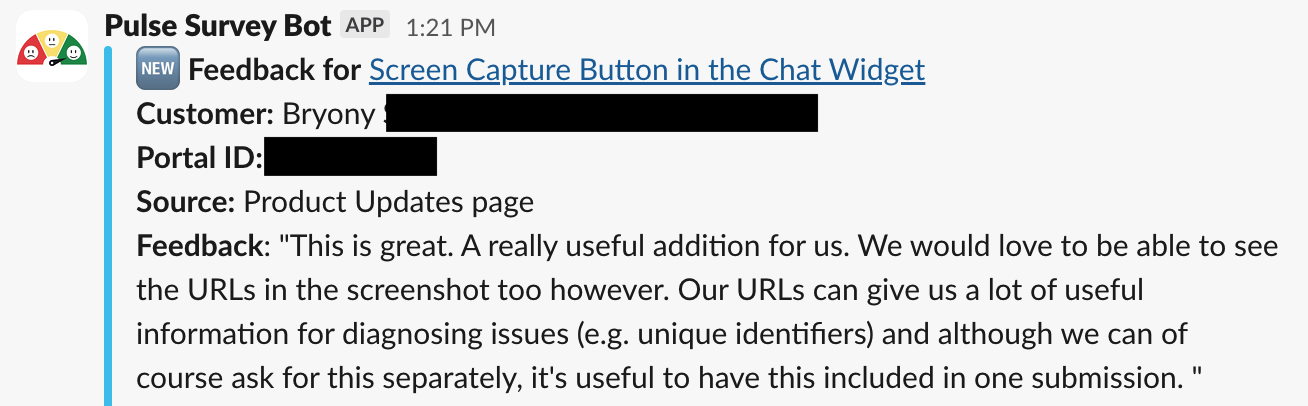
The Screen Capture API only captures what's inside the tab — not the address bar, not anything in the browser's own UI. That's a hard constraint baked into the browser. No web API can reach above the tab.
The Problem
The Screen Capture API captures only what's rendered inside the tab. The address bar and browser chrome are outside its reach. That's a platform-level constraint: no web API can access the browser UI.
So it was time to get creative.
The Prototype
So I built a quick Lovable app to explore what was actually possible.
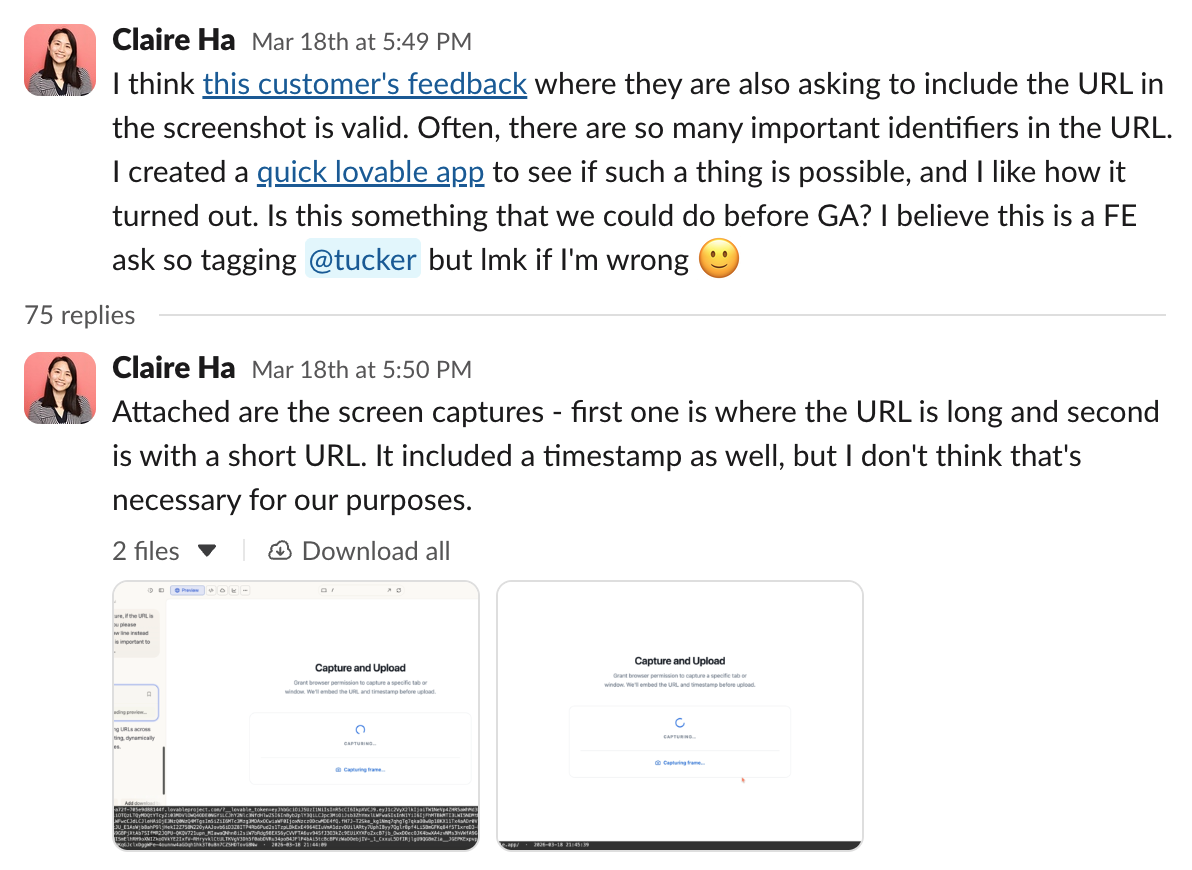
The idea: capture the tab, then programmatically embed the current URL as an overlay before upload. No browser chrome needed — just the data that matters.
I shared it with the engineering DRI, exported the Lovable code, and we used it as a working reference to build the real thing.
The Outcome
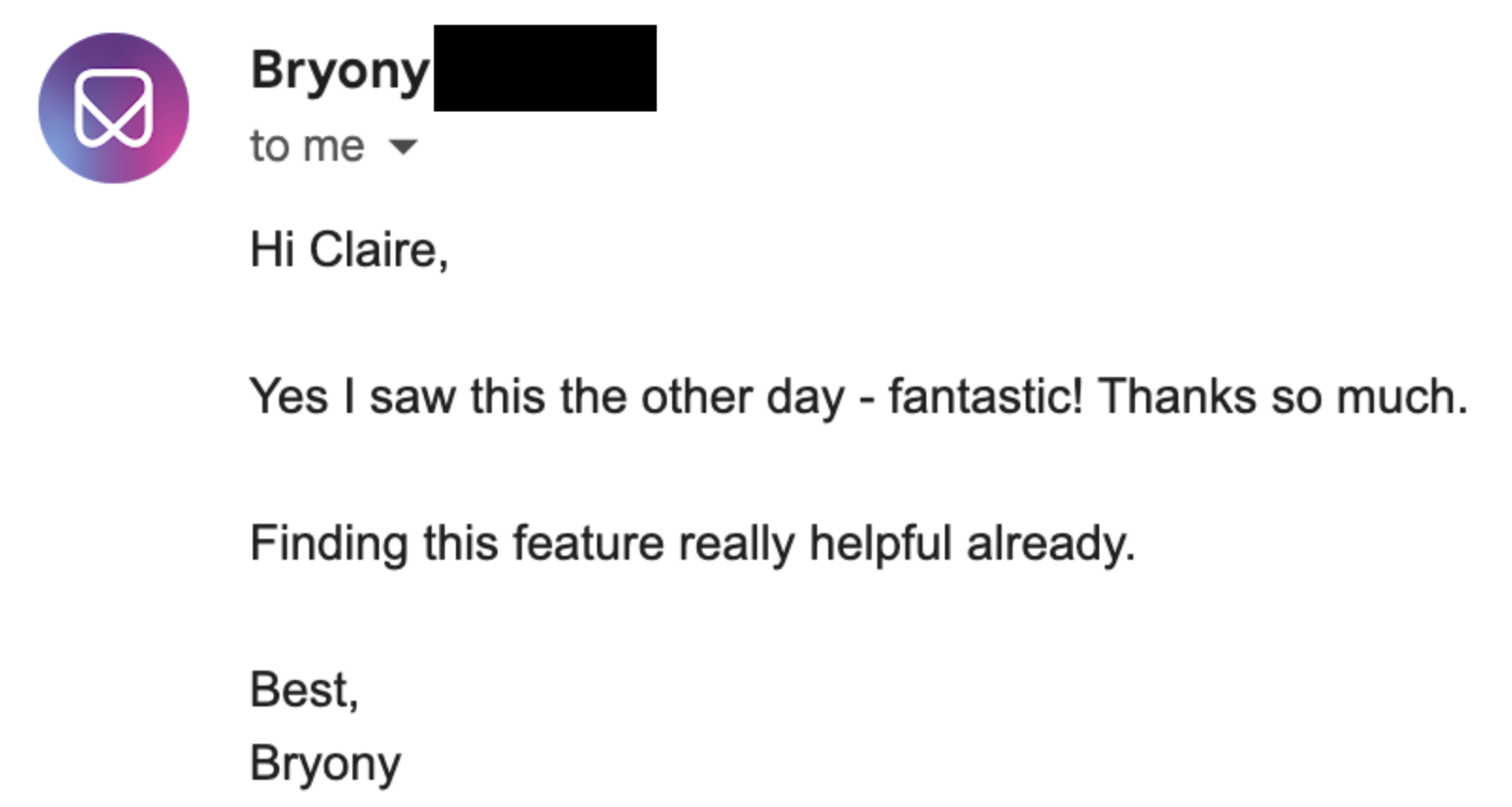
Fast feedback loop. Happy customer.
The feedback came in, we prototyped the solution with Lovable, handed off the code to engineering, and shipped it.
The customer's response says the rest.

Spam protection enabled; AI-generated content may be inaccurate.
Stretching the widget, the prompts, and my imagination
When I joined the team, I wanted to understand the product end-to-end before speccing anything. So I built a dummy site, configured a live chat widget, and powered it with Customer Agent. It let me learn the HubSpot setup process firsthand and see the widget exactly as a real site visitor would.
Engineers had mentioned that single-page applications are a reliable source of hard-to-replicate bugs. So I built a SPA our team could use during bug bashes to reproduce issues quickly.
Once I understood the widget, I started pushing it. What if it worked like a unified search bar? What if the form factor was spotlight-style? Then Vijay sent me this tweet. I decided to find out how far it could actually go.
Creating a clickable, shareable prototype of HubSpot
Prototyping Tips
The Takeaway
You just need to do it. Be a product manager. Identify problems in your daily life - personal or professional - and just build. Stretch yourself and go crazy in all the prototyping apps. I feel like I've mastered Lovable and now I'm going to focus on Claude Code. (By the way, this entire presentation was created with Claude Code)